Snap your plate. See how balanced it is.
Bitewise turns a photo of your meal into a 0–100 plate balance score, a short explanation and an estimated calorie count. Then you get on with your day.
Free to start, with 1 AI meal analysis a day.
- No calorie goals
- No food database
- No barcodes
- No ads
How it works
One photo. A clearer picture of how you eat.
Snap, pick or describe
Take a photo of your plate, choose one from your library, or type what you ate in a few words.
AI reads the plate
With your permission, AI recognizes what is on it: vegetables, protein, grains, fats, sugary and processed foods, drinks.
Get a score and an estimate
A plate balance score from 0 to 100 and a calorie range, with what lifted the score and what held it back, in plain language.
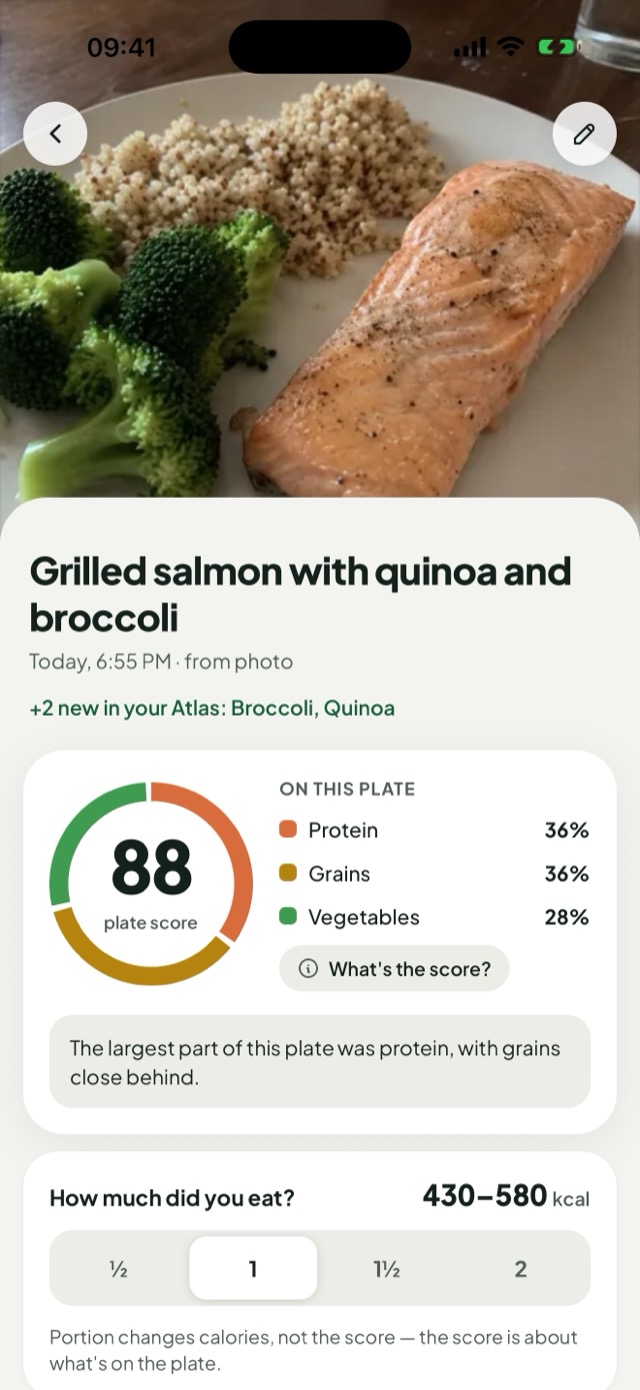
The plate map
A score about what is on the plate.
The ring shows how your plate is split between food groups, with the score in the middle. Colour tells you what is on the plate, never whether it was good or bad.
Portion changes the calories, not the score.
- Vegetables
- Protein
- Grains
- Fats & oils
- Sugary
- Processed
- Drinks
See your week
Patterns, not a daily verdict.
Bitewise keeps your meals in a journal and shows what keeps coming back.
Today
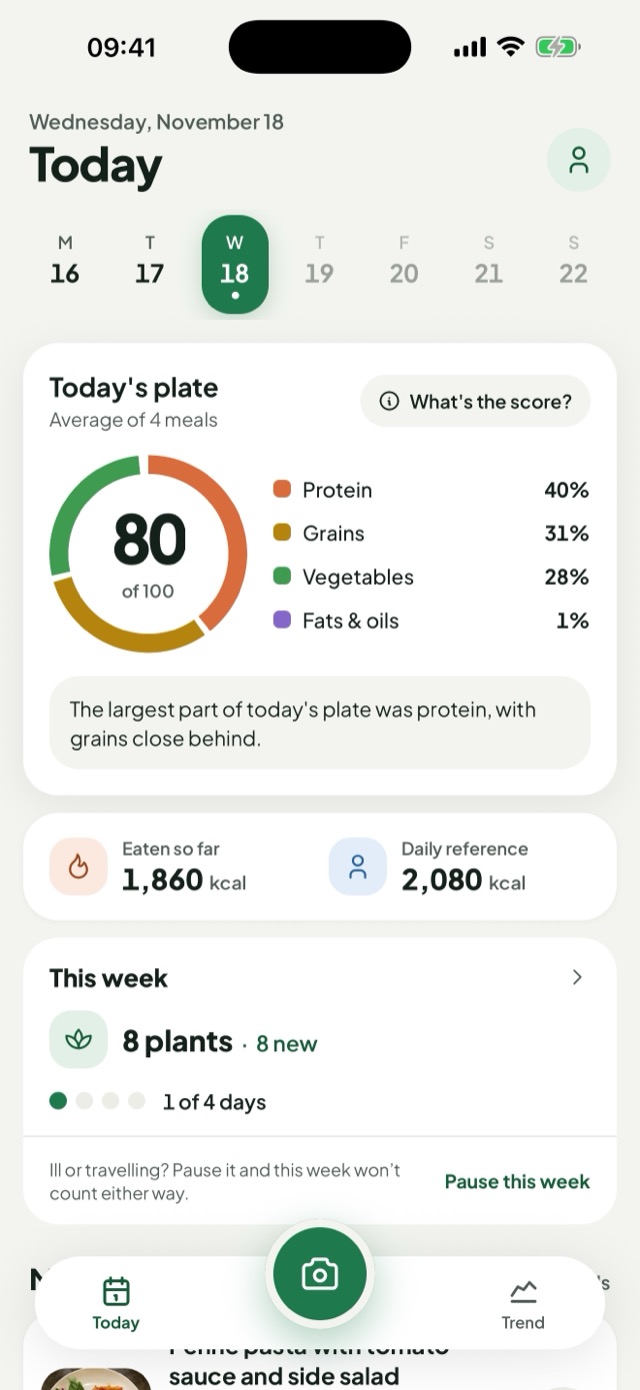
Your meals and how your plates looked across the day, next to a daily energy reference. Tap another day of the week to see its plate, or add a meal you forgot. Nothing to hit, nothing to subtract.
Trend
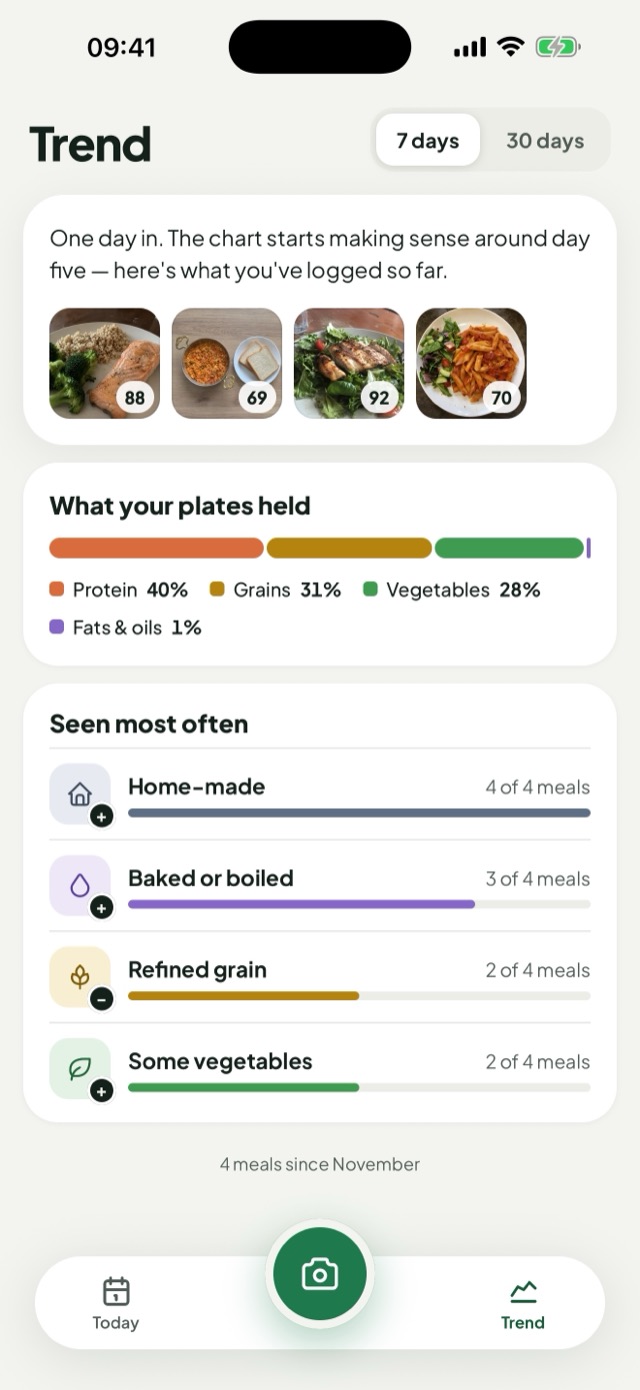
How your scores move over the week and which signals keep coming back, like home-made meals or refined grains.
Plant Atlas
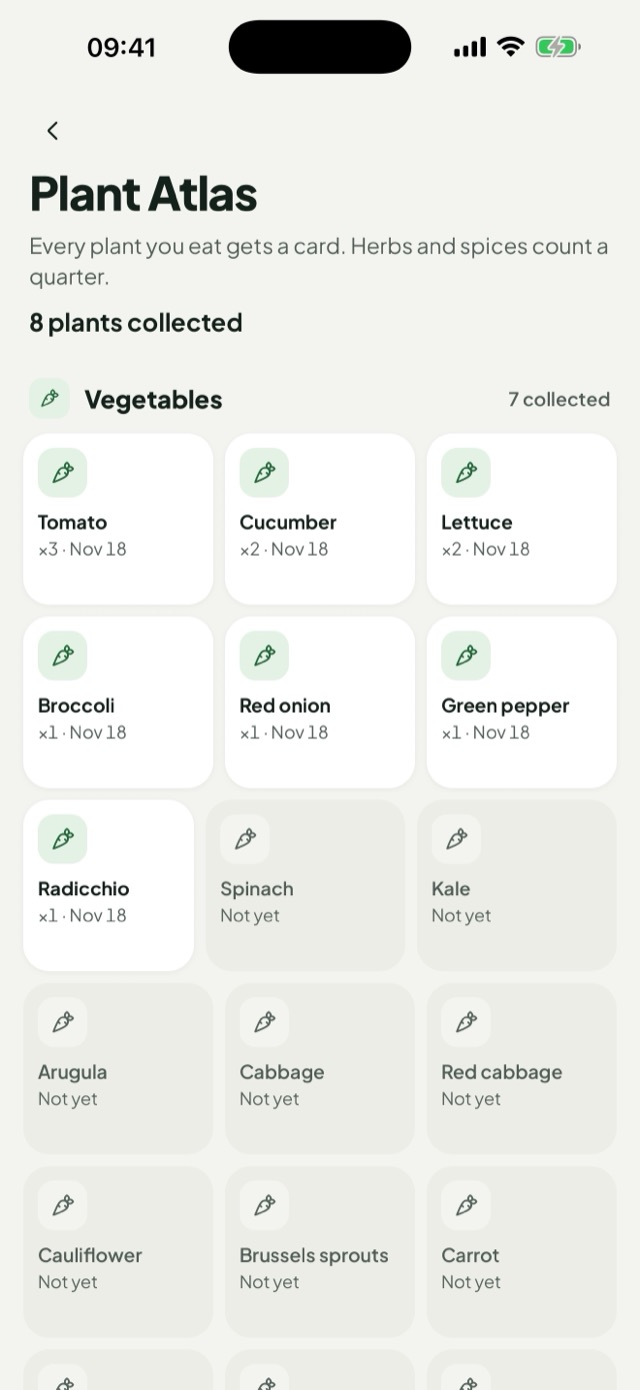
Every plant you eat gets a card. Variety is one of the simplest habits to build.
Made to be honest
An estimate that says it is an estimate.
Estimates, not measurements
Scores and calories come from a photo, so they can be wrong. You can correct any meal.
No shaming
No red failure states and no “bad foods”. The score looks the same whether it is 14 or 93.
A journal, not a doctor
Bitewise is a meal journal for adults. It is not a medical device and does not give medical advice.
Privacy
Your meals stay your business.
Nothing is sent for analysis until you allow it. Read the Privacy Policy
- Your photo is sent for AI analysis only after you give permission, and you can withdraw it at any time.
- Only a small thumbnail is kept with your meal, not the photo that was analysed.
- No ads, no advertising identifiers and no tracking across other apps.
- Delete your account and all your meals at any time in Settings.
Bitewise Pro
Free to start. Pro when you log every meal.
Free
$0
For one meal a day.
- 1 new AI meal analysis per day
- Adding a frequent meal again does not use an analysis
Pro 7-day free trial on annual
$39.99 / year, or $9.99 / month
For every meal of the day.
- Up to 15 AI meal analyses per day
- Cancel any time in your App Store account settings
Prices are for the U.S. App Store; your price, billing period and any free trial are shown in the app before you pay. The free trial is for eligible new subscribers. Subscriptions renew automatically unless cancelled at least 24 hours before the end of the current period.
Questions
Good to know.
How does the analysis work?
Take a photo of your plate or type what you ate. With your permission, the photo or text is analysed by an AI model, and Bitewise turns the answer into a 0–100 plate balance score and an estimated calorie count.
How accurate is it?
A photo shows what is on a plate better than how much of it there is. The results are estimates and can be wrong; you can correct a meal from its detail screen.
What happens to my photos?
A resized copy of the photo is sent for analysis only after you allow it. Bitewise does not store that copy; it keeps a small thumbnail with your meal. The Privacy Policy lists what is sent and to whom.
How many meals can I analyse?
Free accounts get 1 new AI analysis per day. Bitewise Pro allows up to 15 per day. Adding a meal again from your frequent meals does not use an analysis.
I forgot to log a meal. Can I add it later?
Yes, for any earlier day of this week. On Today, tap that day in the week strip, then “Add a meal to” that day under its list. A photo, a description or a frequent meal is dated on that day; an AI analysis counts towards the day you send it.
How do I cancel Pro or delete my account?
Subscriptions are managed by Apple: cancel in the iOS Settings under your name, Subscriptions. You can delete your account in the app under Settings. See Support and Delete your account.
Is Bitewise medical advice?
No. Bitewise is a meal journal for adults. It is not a medical device and does not diagnose, treat or prevent any condition. For medical or nutrition advice, talk to a qualified healthcare professional.
A clearer view of your meals.
Bitewise is on its way to the App Store for iPhone.
Coming soon to the App Store